If you’re serious about boosting your website’s SEO, a topical map is a game-changer. In simple terms, a topical map helps you organize your content around specific topics and keywords, ensuring that your site builds topical authority. But how do you create one that actually works for SEO?
In this article, I’ll walk you through the process of building a topical map for your website, show you how it improves your SEO, and give you actionable tips to make sure your content strategy is both effective and aligned with search engine algorithms. If you’re looking to optimize your content and establish authority in your niche, you’re in the right place.
What is a Topical Map in SEO?
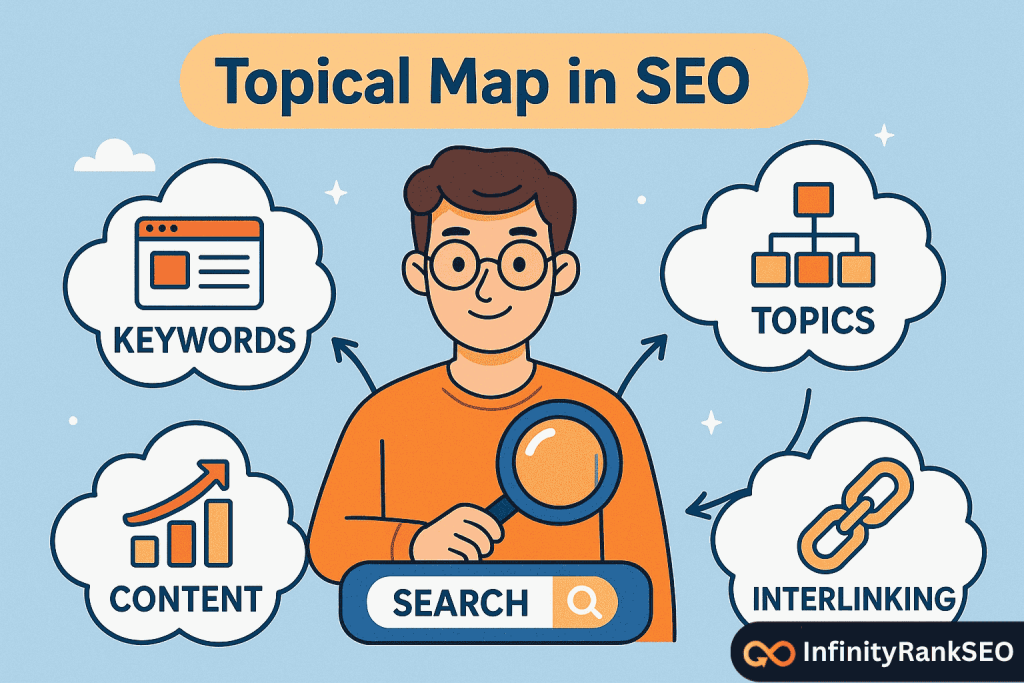
A topical map is essentially a visual representation of your content strategy, where you organize your website around specific topics and subtopics that are relevant to your target audience. The goal is to create a clear content structure that signals to search engines like Google that your website is an authority on those topics.
Think of it as a blueprint for your content—helping you group related pieces together, ensuring they cover all aspects of a topic, and making it easier for both search engines and users to navigate your content.
By building a topical authority map, you can signal to Google that your website has in-depth, comprehensive coverage of the subjects your audience cares about. This boosts your chances of ranking higher for related searches.
Why Does a Topical Map Matter for SEO?
Creating a topical map isn’t just about organization—it’s about strategic optimization. Here’s why it matters:
1. Improves Content Organization
By mapping out topics and subtopics, you make it easier for search engines to understand what your website is about. When you group related content together, it helps establish relevance and context—key ranking factors for Google.
2. Builds Topical Authority
If you cover a broad range of topics related to your niche in depth, search engines will recognize your website as an authority on that subject. This can significantly improve your rankings.
3. Enhances User Experience
A well-structured website makes it easier for users to find the content they’re looking for. When they can navigate through topics seamlessly, they’re more likely to stay longer on your site, reducing your bounce rate and improving engagement metrics.

4. Boosts Internal Linking
A topical map encourages you to link related articles together, which helps with your internal linking strategy. Internal links are critical for SEO because they help search engines understand the relationships between your content.
How to Create a Topical Map for SEO
Now that we understand the importance of a topical map, let’s dive into the step-by-step process of creating one. Whether you’re just starting or optimizing an existing site, this process will help you structure your content effectively.
Step 1: Identify Your Core Topics
The first step in creating a topical map is identifying the core topics for your website. These should be the main subjects that your business or website specializes in. Think of these as the broad themes you want your website to rank for.
Example:
- If you run a blog about digital marketing, your core topics might include:
- SEO
- Content Marketing
- Social Media Marketing
- Paid Advertising
Step 2: Research Relevant Subtopics
Once you’ve identified your core topics, the next step is to dig deeper into each one by identifying related subtopics. These subtopics will help break down each core topic into smaller, more focused areas of content.
For example, under your SEO topic, your subtopics might include:
- On-Page SEO
- Link Building
- Technical SEO
- Keyword Research
- Local SEO

This is where the magic happens. These subtopics will form the structure of your topical map and allow you to create a content strategy that covers all angles of your core topics.
Step 3: Analyze Competitor Content
Look at your competitors’ websites and analyze how they structure their content. Are they covering the same core topics and subtopics? How do they organize their information? What gaps can you fill with your content?
There are topical map tools and SEO tools like Ahrefs or SEMrush that can help you assess your competitors’ content structure. This gives you valuable insights into how you should approach your own topical content map.
Action Step:
Use tools like Ahrefs or SEMrush to get a topical map of competitor SEO. Look at their top-ranking pages and identify which subtopics they’re covering and how you can improve on them.
Step 4: Create Your Content Plan
With your core topics and subtopics in mind, it’s time to build your content plan. Map out blog posts, guides, and other content that you can create for each subtopic. Your goal is to fill in the gaps and provide a comprehensive resource for each area.
For example:
- Core Topic: SEO
- Subtopic: Keyword Research
- Content Idea 1: “How to Perform Effective Keyword Research”
- Content Idea 2: “The Best Keyword Research Tools in 2025”
- Subtopic: On-Page SEO
- Content Idea 1: “Top 10 On-Page SEO Best Practices”
- Content Idea 2: “How to Optimize Your Meta Descriptions for SEO”
- Subtopic: Keyword Research
Step 5: Build Your Topical Map
Now it’s time to create your topical map. Visualize your core topics at the top, with arrows leading down to related subtopics and content ideas. This will give you a clear roadmap for content creation and organization.
You can use tools like MindMeister, Lucidchart, or even a simple spreadsheet to visually structure your map.
Step 6: Optimize Your Internal Linking Strategy
Once your content is published, your topical map should guide your internal linking strategy. Link related articles to each other to establish connections between content. This will help search engines understand the relevance of your content to specific search queries.
For example, in the “How to Perform Effective Keyword Research” article, you might link to your “The Best Keyword Research Tools in 2025” post.
Final Thoughts
Creating a topical map for SEO is a smart way to organize your content and ensure that your website is seen as an authority on the topics you care about. With a well-structured topical map, you’ll improve your rankings, user experience, and internal linking strategy.
The key to success lies in choosing the right core topics, breaking them down into actionable subtopics, and creating high-quality, relevant content that resonates with both your audience and search engines. Don’t be afraid to analyze competitors, fill in the gaps, and continuously refine your approach.
By following these steps and utilizing the tools available, you’ll be well on your way to mastering topical mapping and taking your SEO efforts to the next level.
Frequently Asked Questions (FAQ)
How do I measure the effectiveness of my topical map for SEO?
You can measure its effectiveness by monitoring your site’s traffic, rankings for target keywords, and user engagement. Use tools like Google Analytics and Google Search Console to track performance and refine your map based on real data.
Can I create a topical map for multiple core topics at once?
Yes, you can create a topical map for multiple core topics. Just ensure each core topic has a clear structure with related subtopics. This will help avoid content overlap and maintain a focused strategy for each topic, improving overall SEO.
How do I ensure my topical map is comprehensive enough?
To ensure your map is comprehensive, conduct thorough keyword research and competitor analysis. Look for gaps in existing content, and use tools like Ahrefs or SEMrush to discover all the related subtopics that your audience is searching for.
Should I update my topical map regularly?
Absolutely! As SEO and search trends evolve, so should your topical map. Regularly update it based on new keyword research, content performance, and emerging industry topics. This keeps your website fresh and aligned with changing search algorithms.
How do I handle overlapping topics in my map?
If you have overlapping topics, try to group them under broader categories. You can create pillar content for the core themes and link related subtopics as supporting content. This helps clarify the relationships between topics and avoids content cannibalization.