Expired domains can look attractive to link builders. A previously used domain may still have backlinks, brand mentions, referral traffic, or a memorable name. Buying it can appear easier than building those assets from scratch.
But an expired domain is not a package of guaranteed SEO authority.
Its strongest links may already be gone. Its traffic may be estimated rather than verified. Its history may include spam, malware, trademark disputes, or repeated changes in ownership. Google may also treat repurposing the domain as expired domain abuse when the main objective is to manipulate rankings rather than create something useful.
That does not mean every expired-domain acquisition is illegitimate. Buying an old domain to restore a genuine publication, merge an acquired business, protect a brand, or build a relevant standalone website can make commercial sense.
The distinction is simple:
Buy the domain because it supports a legitimate website or business objective—not because a third-party SEO tool assigned it a high authority score.
This guide explains how expired domain link building works, what Google prohibits, how to assess a domain properly, and when rebuilding or redirecting one may be justified.
What Is an Expired Domain?
An expired domain is a previously registered domain that its registrant did not renew.
It does not necessarily become available for immediate registration the day it expires. Depending on the extension and registrar, the domain may pass through renewal, auction, redemption, pending-deletion, and release stages. For many generic top-level domains, the former registrant may still have an opportunity to restore the domain before it is released to a new buyer.
Expired domains can retain several assets:
- Links from external websites
- Unlinked brand mentions
- Referral visits from old articles or directories
- Direct visits from users who remember the name
- Search demand for the former brand
- A concise or commercially valuable domain name
- Historical content and topical associations
They can also retain serious liabilities:
- Manipulated or irrelevant backlinks
- Links pointing to pages that no longer exist
- A history of hacked or malicious content
- Previous use in a private blog network
- Trademark or impersonation risk
- Email addresses still used by former customers
- A poor reputation among users or industry partners
The existence of backlinks alone does not tell you which category a domain falls into.
Expired Domains: Fast Track or Spam Trap?
Buying an expired domain to steal its backlink power looks like an easy shortcut to the top of Google. However, if you pick a domain with a hidden, spammy history, you can easily trigger a search penalty that ruins your main website. To get real results, you have to look past high vanity metrics and focus on clean historical data. This simple guide shares four clear steps to help you find, check, and use old domains safely without risking your rankings.
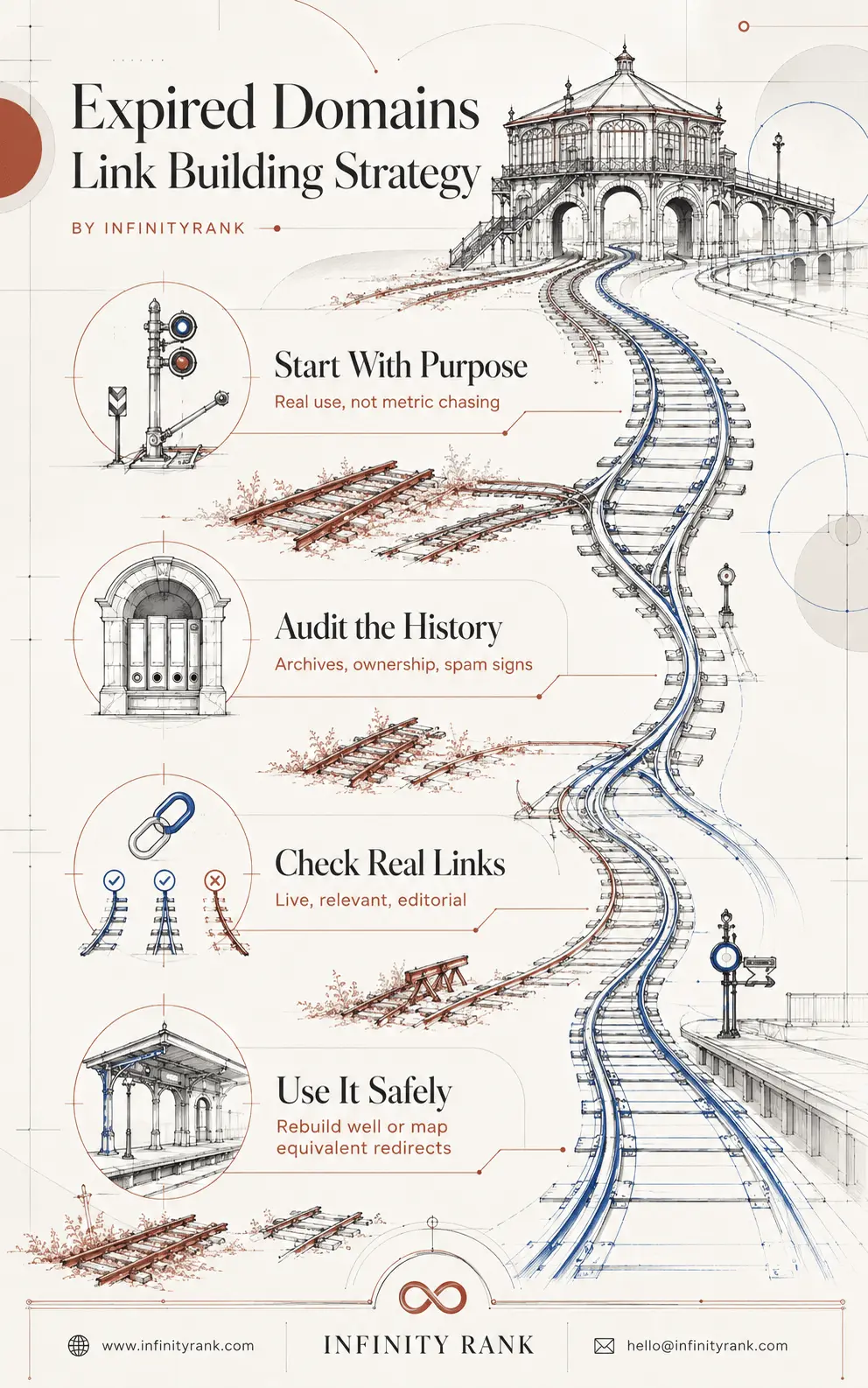
Using expired domains can give your SEO a great head start, but only if the links are clean and real. Skipping a background check is never worth the risk of losing your current search rankings. By focusing on clean history and proper redirects, you can grow your authority safely and avoid dangerous spam traps.
Does Expired Domain Link Building Still Work?
An expired domain can still produce commercial or SEO value, but the outcome depends on what you acquire and what you do with it.
A legitimate acquisition may preserve referral traffic, useful citations, brand recognition, or links to content that you can accurately replace. A genuine merger may also justify moving old pages to equivalent pages on another website.
What you cannot assume is that every historical ranking signal will transfer simply because you control the domain.
Google does not guarantee that it will crawl, index, or rank a website, even when that website follows its technical requirements. Buying an expired domain therefore cannot guarantee faster rankings, higher authority, or improved organic traffic.
Several things may happen after a domain expires:
- Publishers remove their old links.
- Valuable URLs begin returning errors.
- Search engines recrawl the domain and reassess its content.
- Previous rankings disappear.
- Old traffic declines because the brand or content no longer exists.
- A redirect is ignored when the destination does not satisfy the original page’s purpose.
The question is not whether expired domains “work” in general. It is whether a specific domain has durable assets and whether your intended use is legitimate, relevant, and useful.
Google’s Expired Domain Abuse Policy
Google defines expired domain abuse as buying and repurposing an expired domain primarily to manipulate rankings by publishing content that provides little or no value to users.
Its examples include:
- Publishing affiliate content on a former government website
- Selling commercial medical products through a former charity domain
- Publishing gambling content on a former school website
The problem is not that the domain changed ownership. The problem is exploiting the former site’s reputation for unrelated, low-value content.
Google introduced this specific policy in March 2024 as part of a broader attempt to reduce manipulative and unoriginal search results.
Legitimate use versus expired domain abuse
| Situation | Likely purpose | Risk |
| A company acquires a competitor and merges equivalent services and pages | Genuine business consolidation | Lower |
| A publisher buys a former industry publication and rebuilds it with original reporting | Independent editorial project | Moderate |
| A business acquires a shorter domain and permanently moves its existing site | Genuine domain migration | Lower |
| A marketer buys a university or charity domain and fills it with affiliate reviews | Exploiting historical reputation | Critical |
| A site owner redirects an unrelated expired domain to a commercial homepage | Attempting to import authority | High |
| An SEO builds several thin sites solely to link to a main website | Link manipulation through a PBN | Critical |
“Topical relevance” does not automatically make a tactic compliant. A domain can be in the same broad industry and still be repurposed primarily to exploit its previous reputation.
How to Find Expired Domains
Expired domains are available through several channels.
Expired-domain discovery platforms
Services such as ExpiredDomains.net collect lists of deleted, pending-delete, auctioned, and otherwise expiring domains. They provide filters for extensions, keywords, historical dates, backlinks, and other third-party metrics. They are discovery tools—not proof that a listed domain is clean or valuable.
Registrar auctions
Registrars may auction domains that their customers failed to renew. GoDaddy Auctions, Dynadot, and Namecheap operate domain marketplaces or auction systems, although eligibility, bidding rules, renewal rights, and transfer procedures vary.
Backorder services
A backorder service attempts to register a domain when it becomes available. A backorder is not always a guaranteed purchase. Multiple requests can trigger an auction, and another service may acquire the domain first.
Private sellers and brokers
Private transactions can provide access to domains that have not fully expired or that remain under a seller’s control. These deals may make it easier to request analytics and Search Console data, but they also require clear ownership verification and a secure transfer process.
Regardless of where you find a domain, the marketplace listing should only start your investigation.
How to Vet an Expired Domain
A proper audit goes far beyond checking Domain Rating, Domain Authority, or the number of backlinks.
Use the following process before bidding or negotiating.
1. Review the Domain’s Complete History
Check archived versions of the website across multiple years.
Do not inspect only the earliest or most recent snapshot. You need to identify every major change in:
- Topic
- Language
- Country
- Brand
- Ownership
- Design
- Business model
- Content quality
A domain may have started as a legitimate business, expired, become a gambling affiliate site, entered a private blog network, and then expired again.
That contaminated middle period matters.
Look for:
- Sudden topic changes
- Foreign-language doorway pages
- Mass-produced affiliate reviews
- Casino, pharmaceutical, adult, or counterfeit-product content
- Copied articles
- Hacked pages
- Link-selling disclosures
- Long periods with no usable archive
- Repeated redesigns that suggest multiple owners
A clean first version does not cancel a later history of abuse.
2. Confirm Topical and Commercial Relevance
The former website should have a logical relationship with your intended use.
Ask:
- Did it serve the same audience?
- Did it cover the same products or problems?
- Would a visitor following an old link reasonably expect your new page?
- Can you restore or replace the most-linked resources accurately?
- Is there a genuine business reason for the acquisition?
“Both websites were about business” is not close topical alignment.
A former accounting publication may be relevant to accounting software. It is not automatically relevant to a payday-loan website because both concern money.
3. Audit Referring Domains, Not Just Backlink Totals
One website can create thousands of sitewide links. That does not make it equal to thousands of independent editorial references.
Review:
- Number of unique referring domains
- Quality of the actual linking pages
- Editorial context surrounding each link
- Country and language of the referring sites
- Followed versus nofollowed links
- Sitewide versus page-level links
- New and lost referring domains
- Links from hacked or scraped pages
- Links from obvious link farms
- Links that no longer exist
Do not assume that links from .edu, .gov, or major media domains are valuable without checking the exact page. User profiles, scraped pages, comments, expired subdomains, and compromised sections can appear on otherwise authoritative websites.
4. Verify the Best Links Manually
Export the domain’s strongest referring pages and open them.
For every potentially valuable link, confirm:
- The page is still live.
- The link is still present.
- The link points to the expired domain.
- The surrounding text is relevant.
- The page is
indexedor discoverable. - The publisher is legitimate.
- The link was earned editorially rather than inserted through spam.
A report showing 200 referring domains is meaningless if 180 links have disappeared and the remaining 20 come from scraped directories.
Prioritize live, relevant, editorial links over metric totals.
5. Inspect Anchor Text
Anchor text often reveals abuse that headline metrics hide.
Red flags include:
- Exact-match commercial anchors at unnatural levels
- Casino, betting, pharmaceutical, adult, or loan terms
- Foreign-language anchors unrelated to the site
- Repeated keyword patterns
- Anchors associated with hacked pages
- Thousands of links using identical text
- A sudden change from branded anchors to commercial phrases
A legitimate website usually accumulates a mixed anchor profile containing its brand, URL, article titles, names, and descriptive phrases.
6. Review Lost Links and Link Velocity
An expired domain may still display a strong historical profile while losing its useful links rapidly.
Check:
- How many referring domains were lost in the past 3, 6, and 12 months
- Whether the strongest links disappeared after the site went offline
- Whether new links appeared during suspicious periods
- Whether backlinks arrived in unnatural bursts
- Whether links point mostly to the homepage or to specific resources
A domain with declining links may be worth far less than its headline authority metric suggests.
7. Identify the Most-Linked URLs
Do not evaluate only the domain as a whole.
Find the pages that attracted its best links:
- Research reports
- Tools
- Statistics pages
- Guides
- News articles
- Product pages
- Staff profiles
- Event pages
- PDFs
Then decide whether you can create a genuine replacement.
If most links point to a discontinued tool you cannot reproduce, redirecting them to a generic homepage will provide a poor experience. If the domain’s strongest asset was an original industry report, rebuilding the site without replacing that report may cause publishers to remove their links.
8. Treat Traffic Numbers as Estimates
Ahrefs, Semrush, Similarweb, and other platforms estimate traffic from their own datasets. They do not have direct access to every website’s analytics.
Use these tools to identify patterns—not to verify exact visitor numbers.
Check:
- Estimated traffic trend over several years
- Ranking keywords
- Countries generating visibility
- Branded versus non-branded demand
- Traffic to individual pages
- Sudden spikes or collapses
- Whether ranked pages still exist
- Whether the queries match your intended audience
When buying from the current owner, request read-only access or exports from Google Analytics and Google Search Console. Even then, confirm that the data belongs to the domain being sold.
Do not pay a premium for “2,000 monthly visitors” based only on a seller’s screenshot or a third-party estimate.
9. Do Not Use a site: Search as a Penalty Test
Searching site:example.com can show some URLs Google knows about. It cannot tell you whether a domain has a manual action, algorithmic suppression, crawling problem, or no indexable content.
A lack of results may have several causes:
- The website has been offline.
- Pages return errors.
- Crawling was blocked.
- Pages contain noindex directives.
- The domain changed ownership.
- Google chose not to index the content.
- The operator did not return a complete set of results.
Google explicitly warns that search operators have indexing and retrieval limitations. Treat the command as a rough discovery tool, not a diagnostic test.
Only a verified Search Console property can show whether Google has reported a manual action to the current owner.
10. Check Redirect and Ownership History
Investigate whether the domain previously redirected elsewhere.
Repeated redirects may indicate that earlier buyers already attempted to use its signals. Also check:
- Historical DNS records
- Past nameservers
- Previous hosting providers
- WHOIS history where legally available
- Changes in registrant organization
- Previous canonical destinations
- Whether the domain formed part of a larger network
A domain passed between several SEO owners is generally less attractive than one with a stable, transparent business history.
11. Check Legal and Brand Risk
Buying a domain does not automatically give you ownership of the previous company’s trademarks, copyrighted content, customer records, logos, or identity.
Before acquisition:
- Search trademark databases.
- Identify the previous legal entity.
- Check whether the business still operates elsewhere.
- Review unresolved complaints.
- Avoid implying continuity that does not exist.
- Do not copy archived content without permission.
- Do not impersonate former employees or owners.
- Consider legal advice for valuable or high-risk acquisitions.
A domain containing another company’s protected brand may create more liability than value.
12. Review Security and Email Exposure
Expired domains can receive password-reset messages, customer enquiries, invoices, confidential files, or email intended for the former owner.
That creates security and privacy risks.
Review:
- Historical MX records
- Existing email services
- SPF, DKIM, and DMARC configuration
- Malware or phishing reports
- Data-breach history
- Old login portals
- Exposed subdomains
- Certificates issued for the domain
Do not access or exploit private communications intended for the previous registrant.
13. Calculate the Real Cost
The winning bid is only part of the expense.
Include:
- Auction or marketplace price
- Buyer fees
- Renewal costs
- Transfer fees
- Hosting
- Design and development
- Content production
- Technical cleanup
- Legal review
- Link verification
- Redirect implementation
- Ongoing maintenance
A cheap domain that requires a full rebuild can cost more than acquiring links and traffic through normal content marketing.
Legitimate Ways to Use an Expired Domain
There are three defensible ways to use a strong expired or acquired domain.
Option 1: Build a Genuine Standalone Website
Rebuilding can make sense when the domain has a credible history, a relevant audience, and a name that supports a viable publication or business.
The new website should have:
- Its own purpose
- Original content
- Clear ownership
- Accurate branding
- A useful audience proposition
- Independent editorial standards
- A reason to exist beyond linking to another site
Do not copy archived pages unless you have acquired the relevant rights.
Where old URLs earned legitimate links, publish content that genuinely addresses the same need. You do not need to reproduce every word, but you should preserve the subject and user value when possible.
A secondary website that exists only to send followed links to your main business is not an independent asset. It is a link scheme with extra hosting costs.
Option 2: Merge an Acquired Website
A website merger is appropriate when you have acquired the actual business, publication, product, or content library—not merely a disconnected domain with backlinks.
A proper merger requires:
- Inventorying every useful old URL
- Identifying the closest equivalent page on the destination website
- Moving or consolidating relevant content
- Redirecting each old URL to its corresponding destination
- Updating internal links
- Retaining the old domain long term
- Monitoring errors, indexing, traffic, and rankings
Google recommends preparing a URL map, implementing redirects, and monitoring both properties during a genuine site move or domain merger.
Do not redirect every URL to the new homepage. That ignores user intent and prevents search engines from understanding where the old content moved.
Option 3: Move a Real Website to a Better Domain
Sometimes the expired domain itself is the better brand.
A company may acquire:
- A shorter name
- A stronger generic domain
- A former brand it legally owns
- A domain that better reflects its market
- A domain lost through an earlier expiration
In that case, the company may move its existing website to the acquired domain.
This is a normal domain migration, not a tactic for importing unrelated authority. Use permanent server-side redirects, update canonical tags and internal links, submit updated sitemaps, and monitor the move in Search Console.
Google recommends permanent server-side redirects such as 301 or 308 responses when a page has permanently moved. It treats supported redirects as a signal that the destination should become canonical.
When Should You Redirect an Expired Domain?
Redirecting an expired domain is justified when there is genuine continuity between the old website and the new destination.
Good reasons include:
- You acquired and merged the former business.
- The former website moved to your company’s domain.
- You own both brands and are consolidating them.
- You are replacing an old resource with a substantially equivalent version.
- The domain was previously used by your organization.
- The redirect solves a real navigation problem for users.
A redirect is difficult to justify when:
- The two websites have no common ownership or purpose.
- The only connection is a broad niche.
- Every old URL points to the homepage.
- The destination lacks equivalent content.
- The domain was purchased solely for its authority metric.
- Old visitors would be confused by the destination.
- The redirect is part of a network intended to manipulate rankings.
There is no universal percentage of “link equity” that a 301 redirect passes. Do not base an acquisition model on assumptions such as 80%, 90%, or 100% transfer.
How to Implement an Expired-Domain Redirect Properly
When a legitimate redirect is warranted, use this process.
1. Crawl the old URL structure
Collect URLs from:
- Archived crawls
- Backlink reports
- XML sitemaps
- Analytics exports
- Search Console exports
- Web archives
- External site searches
2. Categorize each URL
Place old URLs into four groups:
- Direct equivalent exists
- Relevant content can be consolidated
- No relevant replacement exists
- Spam or hacked URL
3. Create a URL map
Redirect each valuable URL to the closest equivalent destination.
Examples:
| Old URL | Correct destination |
| /research/2023-industry-report/ | Updated industry research page |
| /services/technical-seo/ | Current technical SEO service page |
| /about/team/ | New company or acquisition page |
| /unrelated-casino-page/ | No redirect; return an appropriate error |
4. Use permanent server-side redirects
Use 301 or 308 redirects for permanent moves. Avoid redirect chains, JavaScript redirects, and blanket rules that send every path to the homepage.
5. Keep the redirects active
Do not abandon the old domain immediately after migration. Visitors, publishers, and search engines may continue using the old URLs for an extended period.
6. Monitor the result
Track:
- Server errors
- Redirect chains
- Index coverage
- Referral traffic
- Organic traffic
- Rankings
- Removed backlinks
- Unexpected URLs
- Security alerts
If the redirect creates no user value or produces clear problems, reconsider whether the merger was justified.
Why Private Blog Networks Are Not Recommended
A private blog network uses multiple websites—often built on expired domains—to create links to a target website.
The sites usually exist primarily to manufacture ranking signals rather than serve independent audiences.
Common characteristics include:
- Thin or generic content
- Hidden ownership
- Repeated templates
- Similar hosting or analytics setups
- Artificial outbound-link patterns
- Few genuine readers
- Domains selected mainly for authority metrics
- Content created around planned links
Calling this an “advanced” strategy does not change its purpose.
Google classifies creating links primarily to manipulate rankings as link spam. A network can lose visibility, have its links ignored, or contribute to manual actions against participating websites.
There is also no durable way to “cover your tracks.” Networks grow harder and more expensive to maintain as their owners attempt to disguise the connections between sites.
Build independent websites because they deserve to exist. Do not build disposable websites solely to create backlinks.
A Practical Buy-or-Reject Checklist
Buy or investigate further only when most of the following are true:
- The domain has a stable, legitimate history.
- Its topic closely matches the intended use.
- Its strongest links remain live.
- Linked pages can be restored or replaced accurately.
- Anchor text looks natural.
- The domain has not been repeatedly repurposed.
- Traffic claims can be verified.
- The name does not create trademark problems.
- The acquisition supports a real business or editorial objective.
- The total cost is justified without assuming an SEO windfall.
Reject the domain when any of the following are true:
- Its value depends entirely on DR, DA, or another authority score.
- The best links are dead, hacked, paid, or irrelevant.
- Its history includes gambling, pharmaceutical, adult, counterfeit, or malware content unrelated to its original purpose.
- The seller refuses to verify ownership or traffic.
- The previous brand still operates and may challenge your use.
- You cannot explain why users would benefit from the acquisition.
- Your plan is to redirect every page to a commercial homepage.
- Your main objective is to create a followed link to another website.
How to Monitor an Acquired Domain
The audit does not end when the purchase is complete.
During the first seven days
- Secure the registrar account.
- Enable two-factor authentication.
- Review DNS and email records.
- Scan for malware and exposed subdomains.
- Crawl the entire domain.
- Record current backlinks, traffic, and indexed pages.
- Preserve any legally acquired data and content.
During the first 30 days
- Publish or migrate the core content.
- Implement the URL map.
- Fix redirect chains and broken links.
- Verify both domains in Search Console.
- Submit accurate sitemaps.
- Monitor crawl errors and referral traffic.
- Contact publishers when an old citation now points to inaccurate information.
During the first 90 days
- Review lost and retained referring domains.
- Compare actual traffic with pre-purchase estimates.
- Assess whether users engage with the rebuilt content.
- Remove or isolate inherited spam URLs.
- Update content that does not satisfy the original link context.
- Decide whether the acquisition supports its ongoing operating cost.
Do not judge the acquisition solely by whether a third-party authority metric rises.
FAQs
Are expired domains still useful for SEO?
They can be useful when they retain legitimate links, referral traffic, brand recognition, or a valuable name. Their usefulness depends on the individual domain and the quality of the new website. They do not provide guaranteed rankings or transferable authority.
Is expired domain link building against Google’s policies?
Buying an expired domain is not automatically against Google’s policies. Repurposing one primarily to manipulate rankings with low-value content can qualify as expired domain abuse. Building an original, useful website or completing a legitimate business merger is materially different.
Is it safe to redirect an expired domain?
No redirect should be described as automatically safe. A redirect is appropriate when the old and new websites have genuine continuity and old URLs lead to relevant replacements. Redirecting an unrelated domain solely for SEO is high risk and may provide no lasting benefit.
Do 301 redirects transfer all backlink value?
Google documents permanent redirects as canonicalization and site-move signals. It does not provide a fixed percentage of transferred “link equity.” Relevance, page equivalence, crawlability, historical context, and other factors affect how a redirect is processed.
How can I tell whether an expired domain was penalized?
You usually cannot prove it from public data. A site: search, traffic estimate, or backlink tool cannot confirm the absence of a manual action. Search Console access from the current owner is the most direct source for manual-action information, but it still does not reveal every historical or algorithmic issue.
Are Domain Rating and Domain Authority enough to evaluate a domain?
No. They are third-party estimates. They can help sort a large list, but they do not measure legal risk, historical abuse, live-link quality, user value, or how Google will treat the new website.
Can an expired domain still receive traffic?
Yes. Users may arrive through live backlinks, bookmarks, direct navigation, old marketing materials, or remaining search visibility. Verify the source and intent of that traffic before paying for it.
How much does an expired domain cost?
There is no useful universal range. A dropped domain may be available for a standard registration fee, while competitive auctions or private sales can become expensive. Calculate the full acquisition, renewal, development, content, legal, and maintenance costs.
Should I rebuild the old content?
Only when you own the relevant rights or are creating a new, original replacement. Archived access does not give you permission to copy another party’s articles, images, branding, or customer information.
Should I use expired domains to build a PBN?
No. A network built mainly to manufacture links is a manipulative and unstable strategy. The sites require ongoing investment, can lose their links or visibility, and may expose the target website to additional risk.
Final Thoughts
Expired domains are not an SEO shortcut.
A worthwhile domain is an asset with a legitimate history, live and relevant references, a defensible name, and a clear purpose under its new ownership. Its business case should still make sense if you assume that no historical ranking benefit will survive.
Start with the user and the business objective:
- Is there a website worth rebuilding?
- Is there a genuine company or content acquisition?
- Can old visitors be directed to an accurate replacement?
- Does the domain strengthen the brand?
- Can you operate it as a useful, independent property?
When the answer is yes, the domain may be worth investigating.
When the entire strategy depends on redirecting “authority,” disguising ownership, or publishing unrelated content on a previously trusted domain, reject it. That is not careful link building. It is a fragile attempt to manufacture signals that search engines are explicitly trying to detect.